Help in the management console
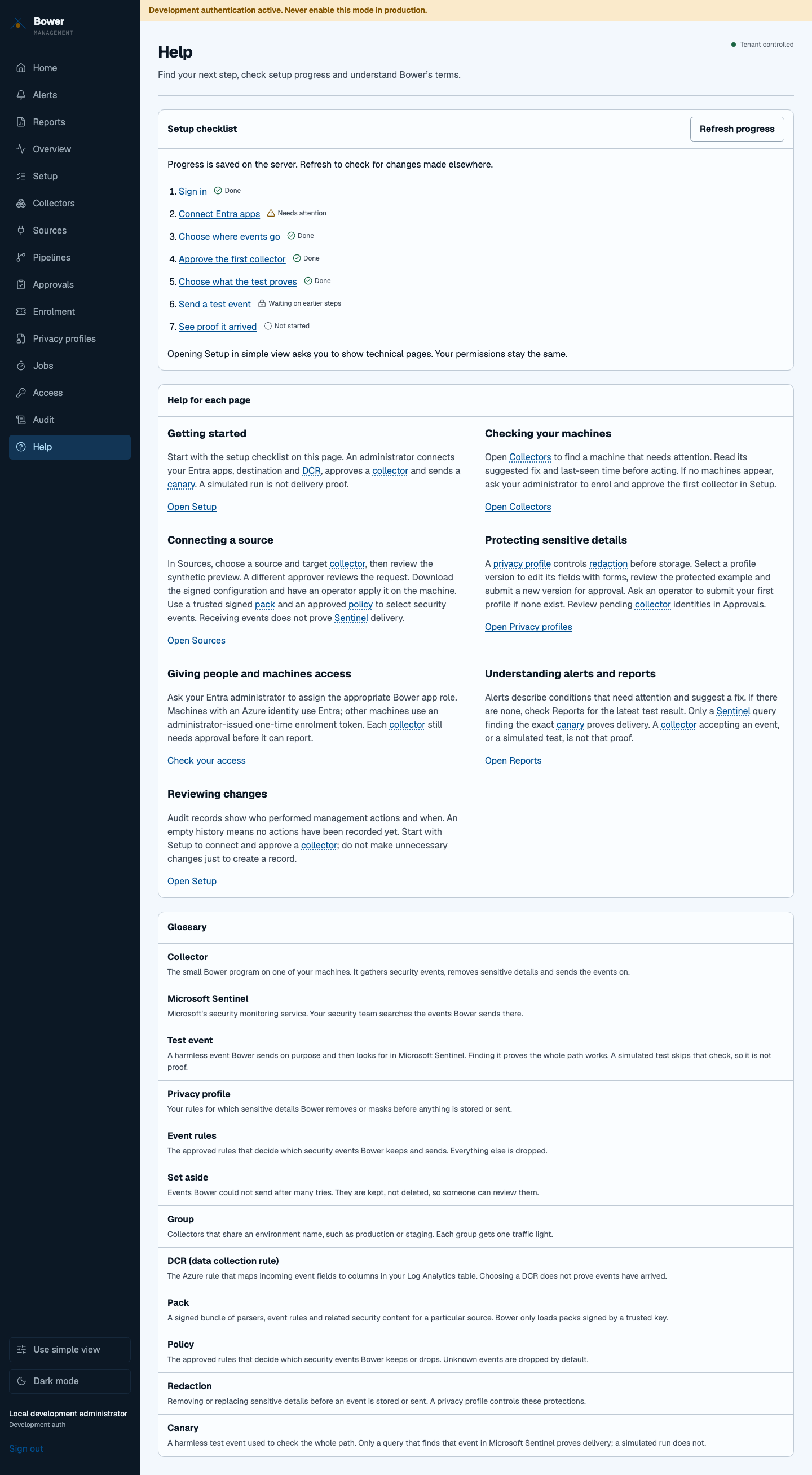
Every operational page has a Help with this page link. It opens the relevant local guide and moves keyboard focus to its heading. Help contains next steps for setup, fleet health, sources, privacy, access, alerts, reports and audit history. Empty views explain what to do next; they do not create sample fleet data.
Check setup progress
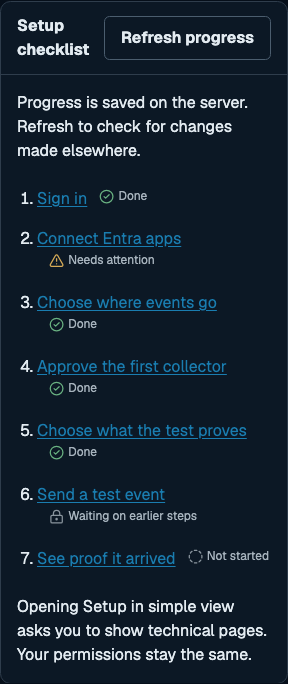
Open Help → Setup checklist to see the steps saved by the onboarding API. The checklist reads the server on each visit. Refresh progress checks changes made by another person without losing the current page. A failed refresh explicitly marks the last loaded progress as potentially out of date. If the first request fails, the guides and glossary remain available and the checklist can be retried.
Select a step to open that part of Setup. In simple view, choose Show this technical page to continue. This changes navigation only: viewers still cannot change setup. Only a Bower administrator can complete the configuration steps. Progress is never saved in browser storage or inferred from clicks.
A simulated canary is labelled Simulated, not proof. Only the server's verified Sentinel query result can complete the proof step. A heartbeat or collector acceptance alone is not delivery proof.
Understand a term
DCR, pack, policy, redaction, canary and collector have plain-English definitions, alongside the other console terms. In guided text, focus a dotted link with the keyboard or hover over it to read a tooltip. Escape dismisses it. Follow the link (on a touch screen, tap it) to focus the full glossary entry.
The typed glossary data ships as src/components/glossary.json in the web app.
There are no external help widgets, tracking requests or additional scripts. Help
uses the existing authenticated read-only setup endpoint; no new trust boundary or
permission is introduced, and the Content Security Policy is unchanged.