Your first verified event
Goal: send a harmless test event and find it in Microsoft Sentinel. You do not need real customer data for this walkthrough.
Before you begin
Ask the person managing your environment for:
- A deployed management console and collector.
- A Microsoft Entra account with the
Bower.Administratorrole for setup changes. - A Log Analytics workspace connected to Sentinel, with the required table and data collection rule.
- An ingestion identity and a separate read-only verifier identity configured by your administrator.
If you only have viewing access, you can follow the checklist. Ask an administrator to make changes. Understand the roles.
1. Open Setup
Sign in to your organisation's console and choose Setup. In simple view, select Show technical pages first. The seven-step wizard saves progress on the server. You can leave and come back, or see the same progress under Help → Setup checklist.
2. Connect your identity and destination
Follow Sign in, Connect Entra apps and Choose where events go. Your administrator supplies the workspace ID, table and DCR details. Use Check the rule and table to check the destination configuration. Saving IDs alone does not prove that events can arrive.
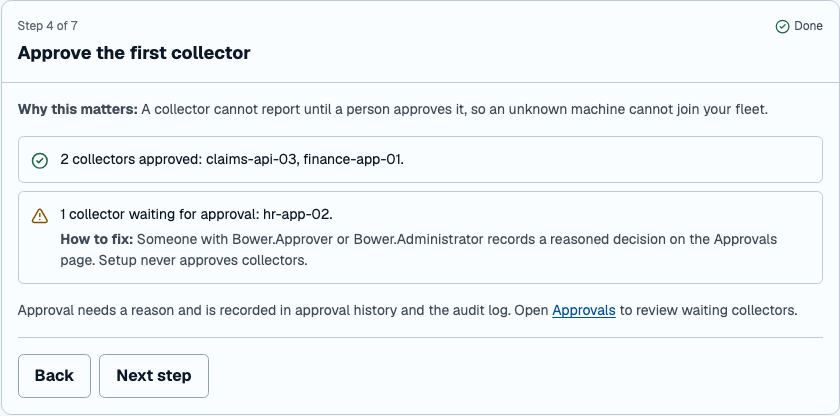
3. Approve the first collector
Check the machine's identity in Approvals, then record an approval with a reason. Only approve a machine you recognise. Return to Setup to see updated progress.
4. Choose a test and send it
In Choose what the test proves, start with the generic test event. Select Send a test event. Bower uses synthetic data and the same privacy, policy, queue and delivery path used for normal events.
5. Read the result
| Result | What it means | What to do |
|---|---|---|
| Verified in Sentinel | The query found the exact test event. | Download the evidence bundle and record the test. |
| Simulated, not proof | The test did not query Sentinel. | Ask your administrator to configure the read-only verifier, then repeat the test. |
| Needs attention | A configuration, delivery or verification step failed. | Follow the suggested fix shown in the wizard. |
| In progress | The test is still running. | Keep the page open or return later; the result is stored on the server. |
Do not use a green collector heartbeat as evidence of Sentinel delivery. An evidence bundle is signed only when your administrator has configured a signing key; otherwise, it is unsigned. See evidence bundles for verification details.
Next: connect a real source
Use Sources to choose a supported source, review its protected preview and request approval. A different person approves the request. An operator then applies the signed configuration to the machine.
For the full setup reference, see console onboarding.